
How to book the SMASH! Maid Cafe
NOTE: You must have a “SMASH! Account” with a ticket linked to it in order to book a maid cafe session. If you do not have a “SMASH! Account”, please create an account first, go to the Account Page and link your existing order to the newly created SMASH! account.
Step 1
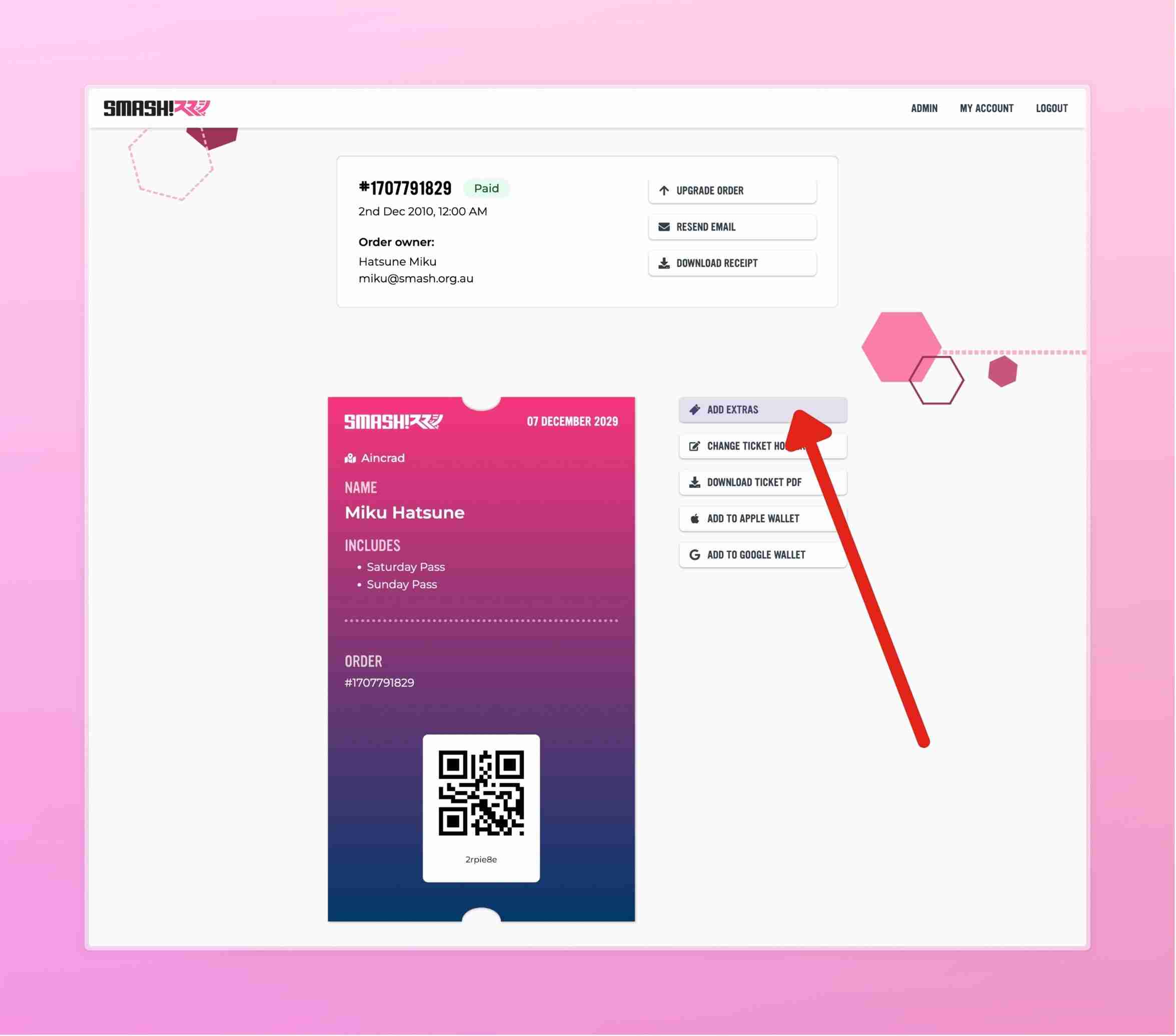
Proceed to your paid order (login to your “SMASH! Account”, go to My Account, view your order) and press “Add Extras” for the ticket that you would like to book the Maid Cafe session under.
If the “Add Extras” button is not visible, it means there are currently no sessions available at this time. Please check our social media for information about the Maid Cafe and session release timing.
If the "Add Extras" button is disabled, there will be an info button next to it explaining why it is disabled.
For exhibitors, please refer to the How to split your exhibitor ticket guide, in order to add extras and book the Maid Cafe.
Step 2
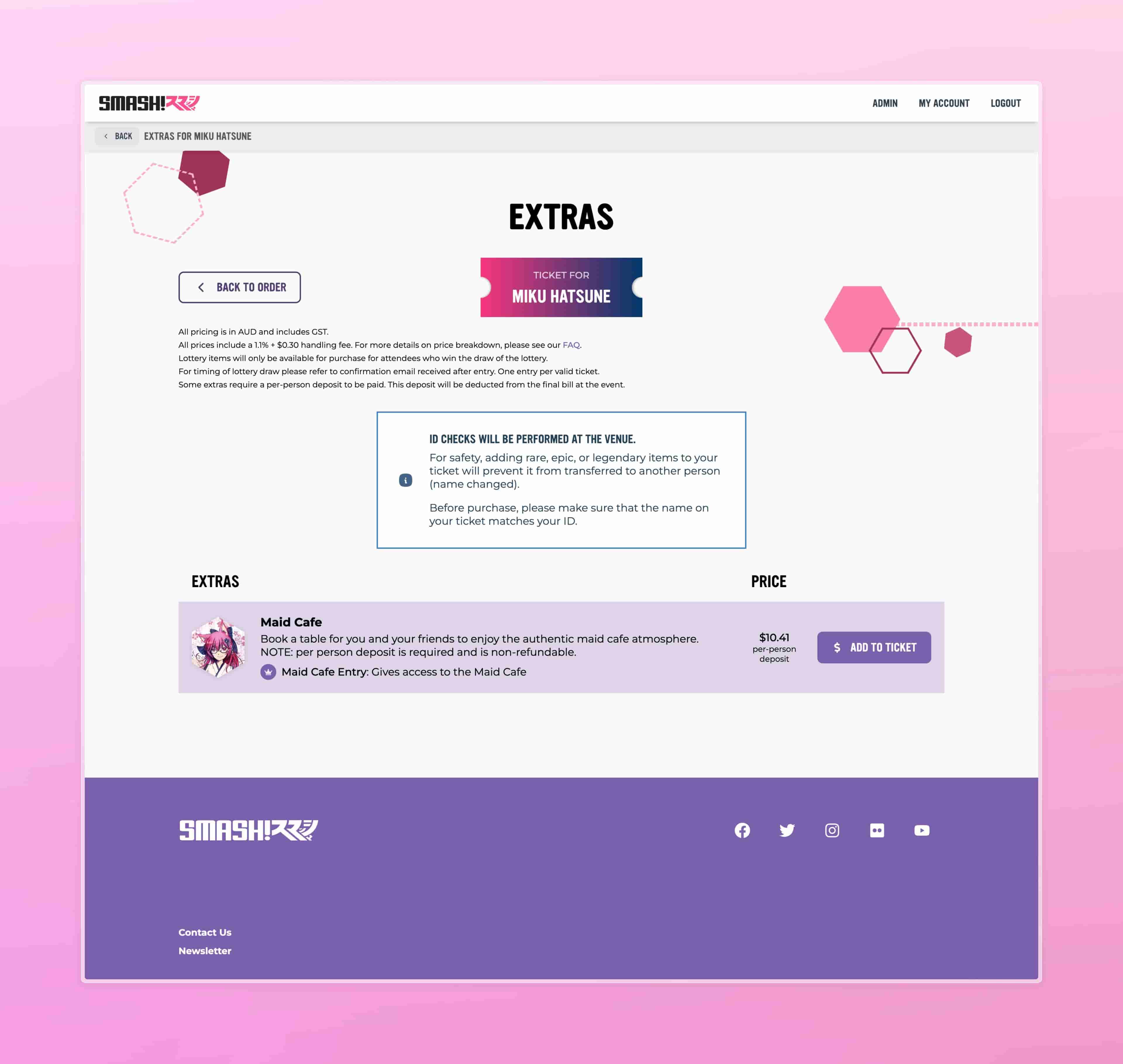
On this page, there will be an extra titled “Maid Cafe”. It will display the price and a button to add to the ticket. Click the “Add to Ticket” button on it.
Step 3
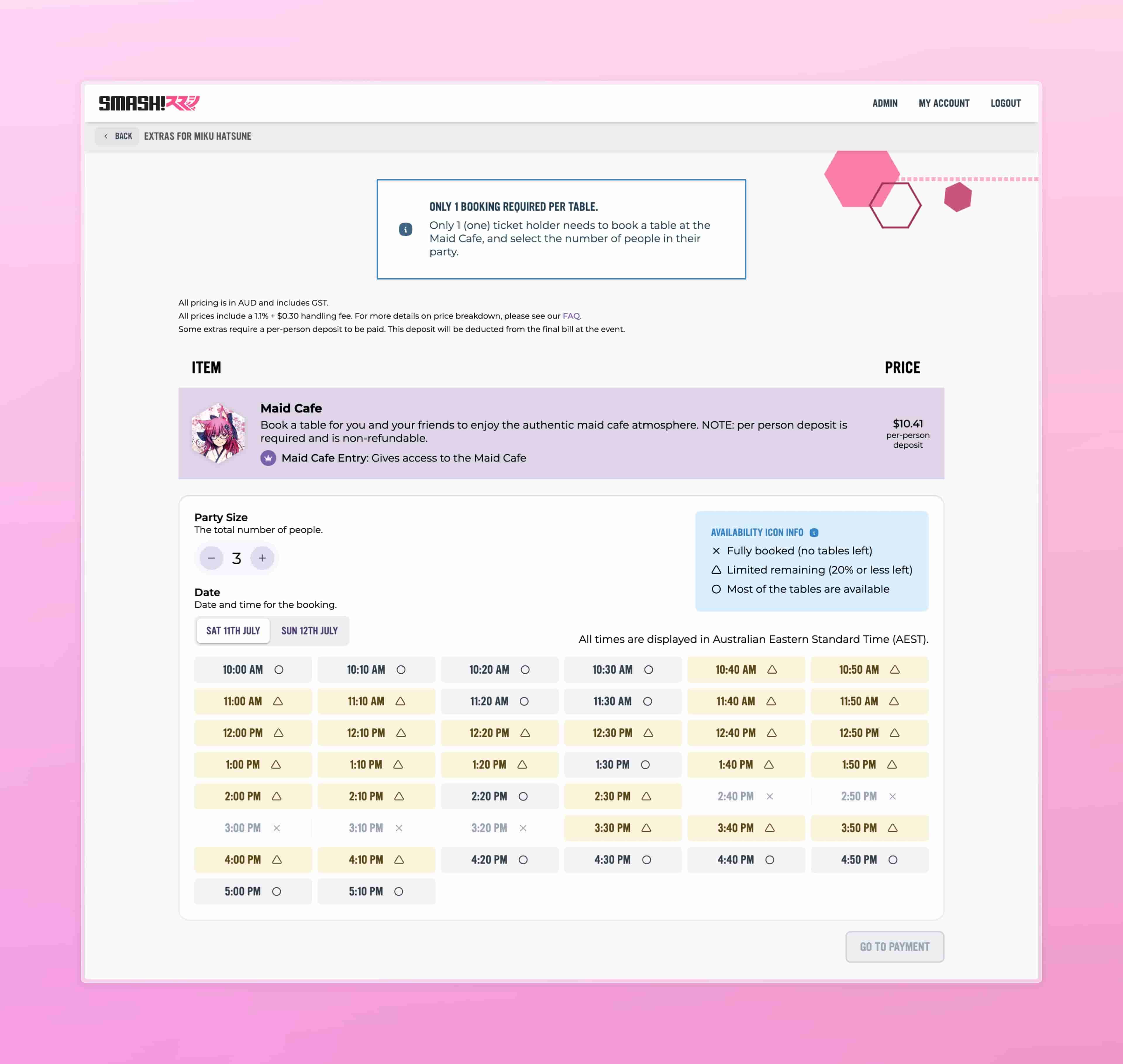
Input the number of people in your party (maximum 4 people per booking).
Select the date and time you would like to book.
NOTE: only 1 person in your party needs to make a booking.
Payment
A per-person booking fee will be taken. Please note that this fee is non-refundable
Enter your credit card details and confirm payment.
Afterwards
Once purchased you will receive an email confirming your Maid Cafe booking.
You will now have the extra item in your ticket and the email will contain the updated PDF with new QR code.