
How to enter a lottery or add an extra item
NOTE: You must have a “SMASH! Account” with a ticket linked to it in order to enter a lottery. If you do not have a “SMASH! Account”, please create an account first, go to the Account Page and link your existing order to the newly created SMASH! account.
Step 1
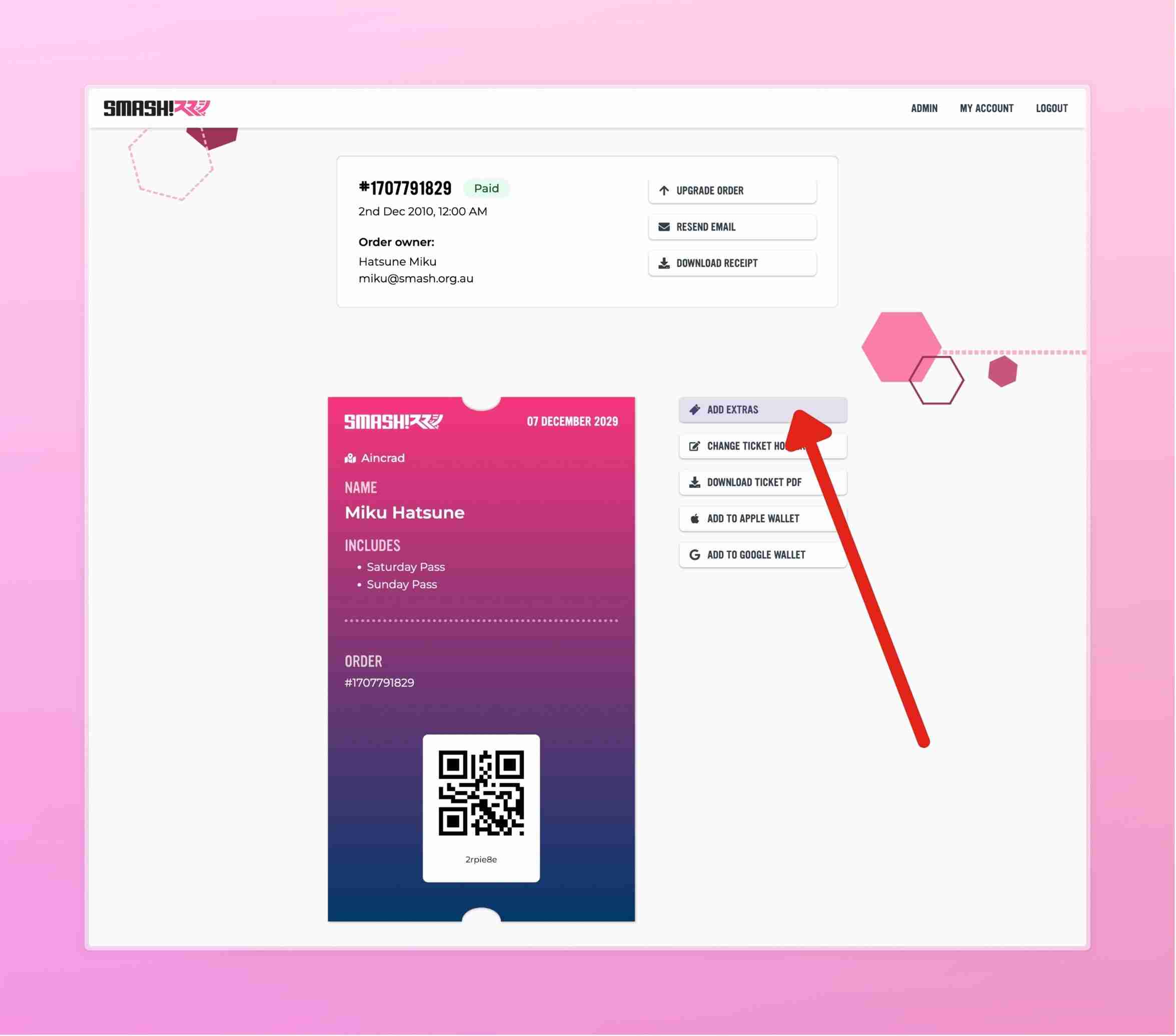
Proceed to your paid order (login to your “SMASH! Account”, go to My Account, view your order) and press “Add Extras” for each ticket you would like to enter into a lottery.
If the “Add Extras” button is not visible, that means that there are currently no lotteries or extras available at this time. Please check our social media for information about lotteries and extras release timing.
If the "Add Extras" button is disabled, there will be an info button next to it explaining why it is disabled.
For exhibitors, please refer to the How to split your exhibitor ticket guide, in order to add extras and enter lotteries.
Step 2
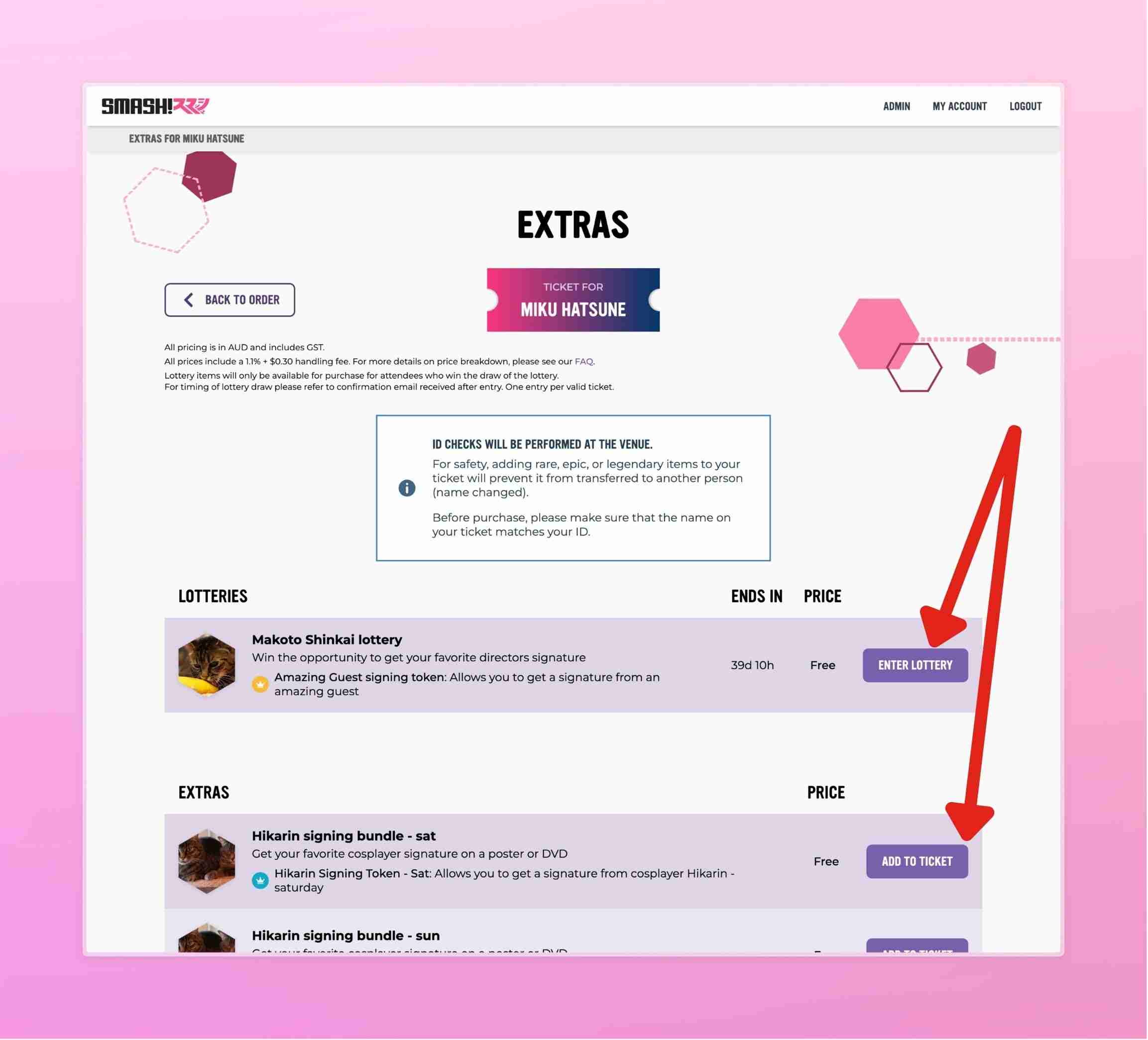
Choose the lottery you wish to enter and press “Enter Lottery”. Or chose an extra item you want to add, and press “Add to Ticket”.
Step 3
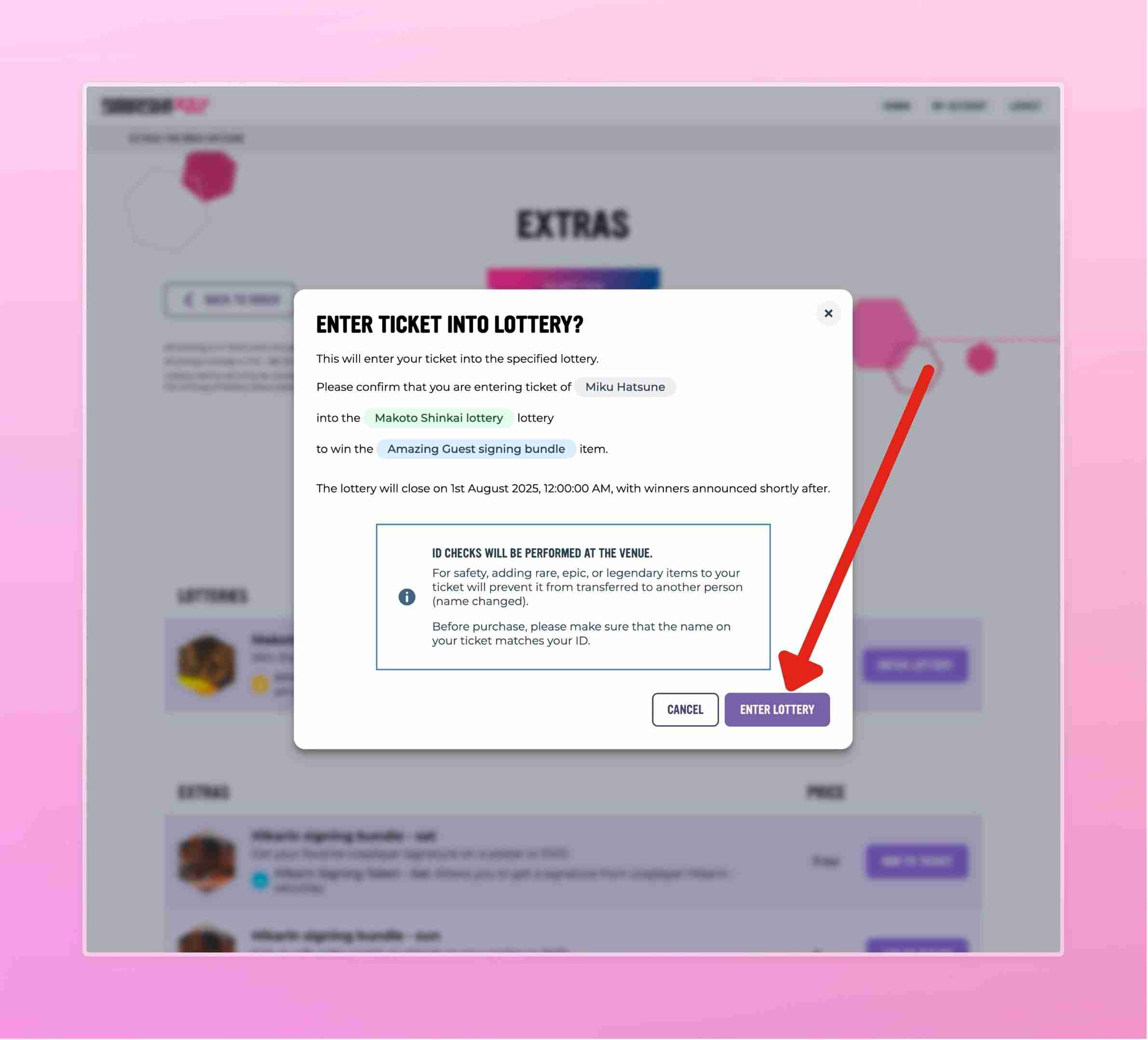
Read the information in the confirmation modal, and confirm your entry by pressing “Enter Lottery” or “Add To Ticket”
Payment
If payment is required, you will need to provide your credit card details.
Afterwards
Once purchased or entered you will receive an email confirming your entry or addition.
Lottery
For lotteries, once the lottery period has finished and the winners have been selected, the winners will be contacted via email to make a payment for the items they have won.
And upon successful payment, the item will be added to your ticket. The same QR code as the general convention entry ticket can be used on the day of the event.
NOTE: if you won the lottery, you have 3 days to claim the win and pay for it, if required. If you do not pay within 3 days, your win is forfeited and a different winner will be selected.
Extras
For guest token extras, you will now have the extra item in your ticket and the email will contain the updated PDF with QR code.